> ## Documentation Index
> Fetch the complete documentation index at: https://docs.clairelabs.ai/llms.txt
> Use this file to discover all available pages before exploring further.
# Insights: conversationally query your course data
> Use the Insights feature in the sidebar to ask questions about student performance, feedback trends, and grading metrics across your courses.
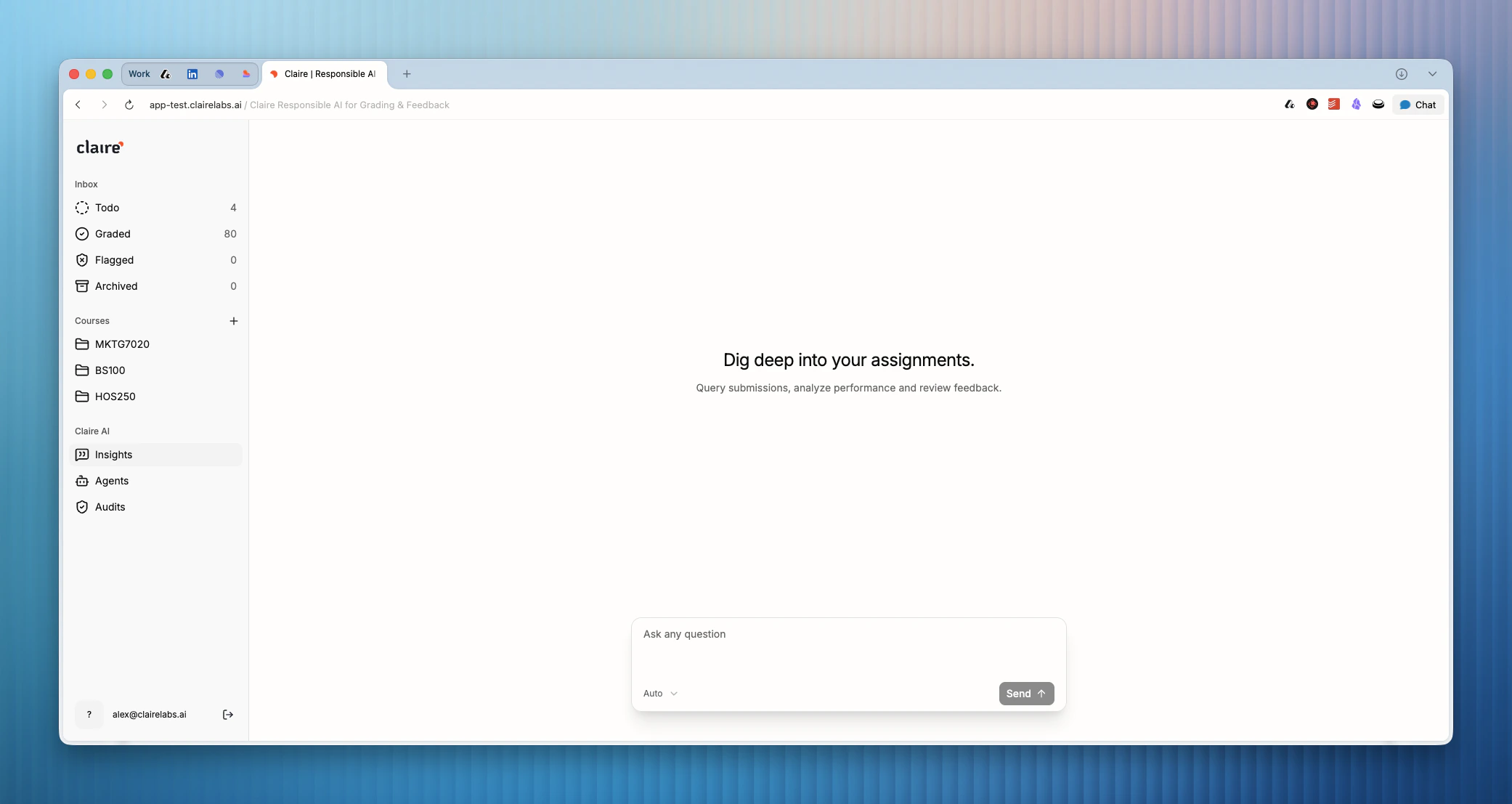
The Insights section provides a powerful, conversational interface for querying your student performance and feedback data. Instead of manually exporting spreadsheets and running complex filters, you can simply ask Claire questions in natural language to uncover trends and metrics across your courses.
 ## Accessing Insights
1. Click on Insights in the main sidebar.
2. At the top of the view, you can optionally filter the data context to a specific [course](/documentation/course/assessments) using the dropdown menu.
3. Use the chat input field at the bottom of the screen to enter your query.
## Querying data
You can ask open-ended or highly specific questions about student progress, feedback sentiment, or rubric criteria performance.
Insights are generated based on the [grading remarks](/documentation/reader/annotate), highlights, and scores you have recorded across your submissions.
For example, you could ask:
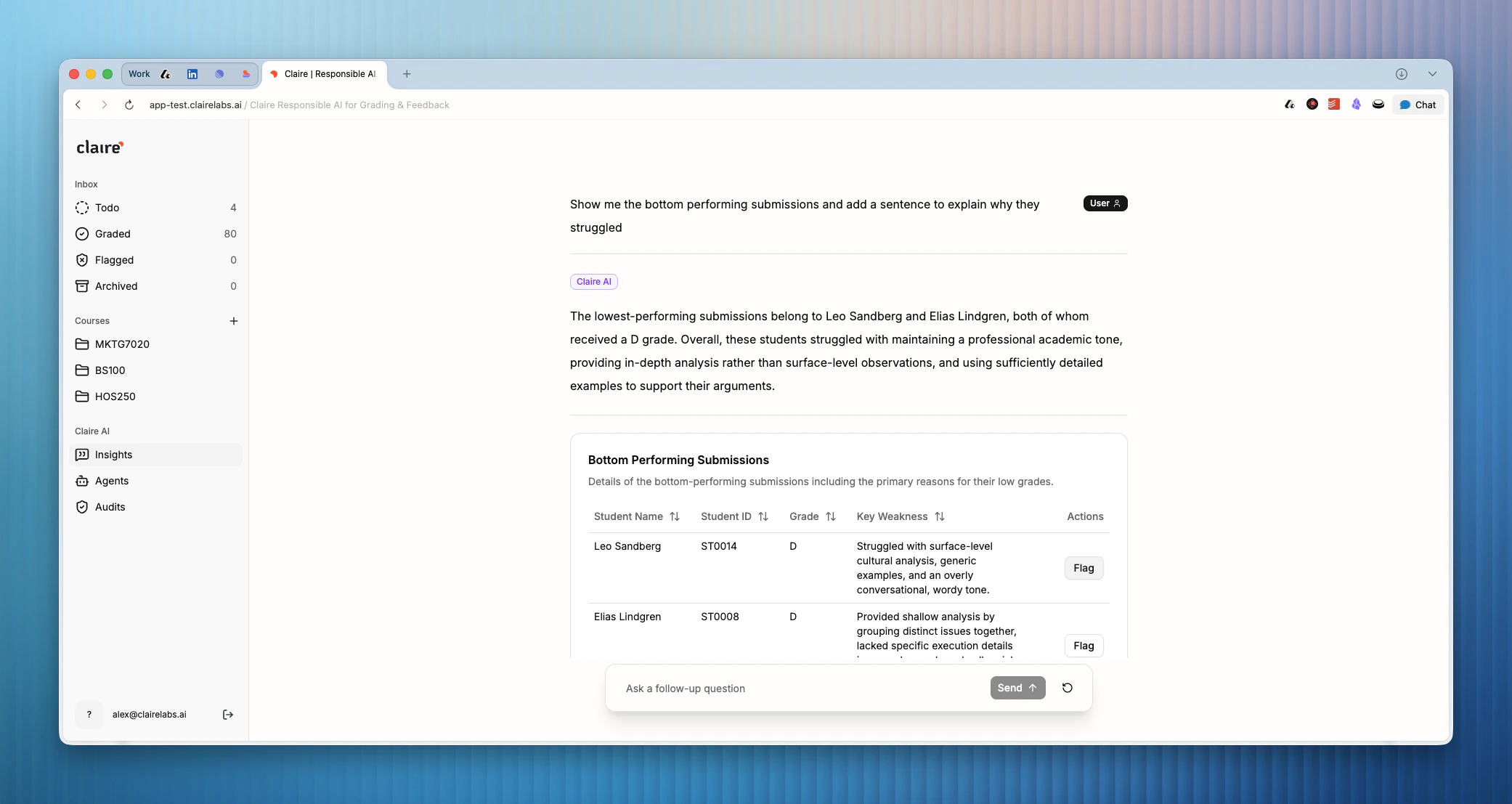
* *"Which rubric criterion do students struggle with the most in the Midterm Assessment?"*
* *"Show me the distribution of grades for the Marketing Strategy course."*
* *"Are there common themes in the weaknesses I've highlighted this week?"*
Claire will analyze the available performance and feedback data and return a clear, contextual answer directly in the chat interface.
## Accessing Insights
1. Click on Insights in the main sidebar.
2. At the top of the view, you can optionally filter the data context to a specific [course](/documentation/course/assessments) using the dropdown menu.
3. Use the chat input field at the bottom of the screen to enter your query.
## Querying data
You can ask open-ended or highly specific questions about student progress, feedback sentiment, or rubric criteria performance.
Insights are generated based on the [grading remarks](/documentation/reader/annotate), highlights, and scores you have recorded across your submissions.
For example, you could ask:
* *"Which rubric criterion do students struggle with the most in the Midterm Assessment?"*
* *"Show me the distribution of grades for the Marketing Strategy course."*
* *"Are there common themes in the weaknesses I've highlighted this week?"*
Claire will analyze the available performance and feedback data and return a clear, contextual answer directly in the chat interface.
 ***
**Looking for more details?**
* For a class-level report that surfaces learning trends and actionable classroom recommendations, see [Course reporting](/grading/class-performance-reports).
***
**Looking for more details?**
* For a class-level report that surfaces learning trends and actionable classroom recommendations, see [Course reporting](/grading/class-performance-reports).