

Transitioning to the Insights engine: While you can still download static class performance reports, we are replacing this feature with the Insights engine. The Insights engine is much more flexible, allowing you to enter any conversational query and have Claire present the findings to you directly. We recommend using Insights as your primary tool for course-wide analytics.
Generate a class performance report
1
Go to the course page
Navigate to the Course page for the course you want to analyze.
2
Click 'Download' in the Reports column
In the Assessments table, locate the assessment you want. Click the icon button, then choose Download from the dropdown.
3
Select 'Performance summary'
In the download options that appear, select Performance summary.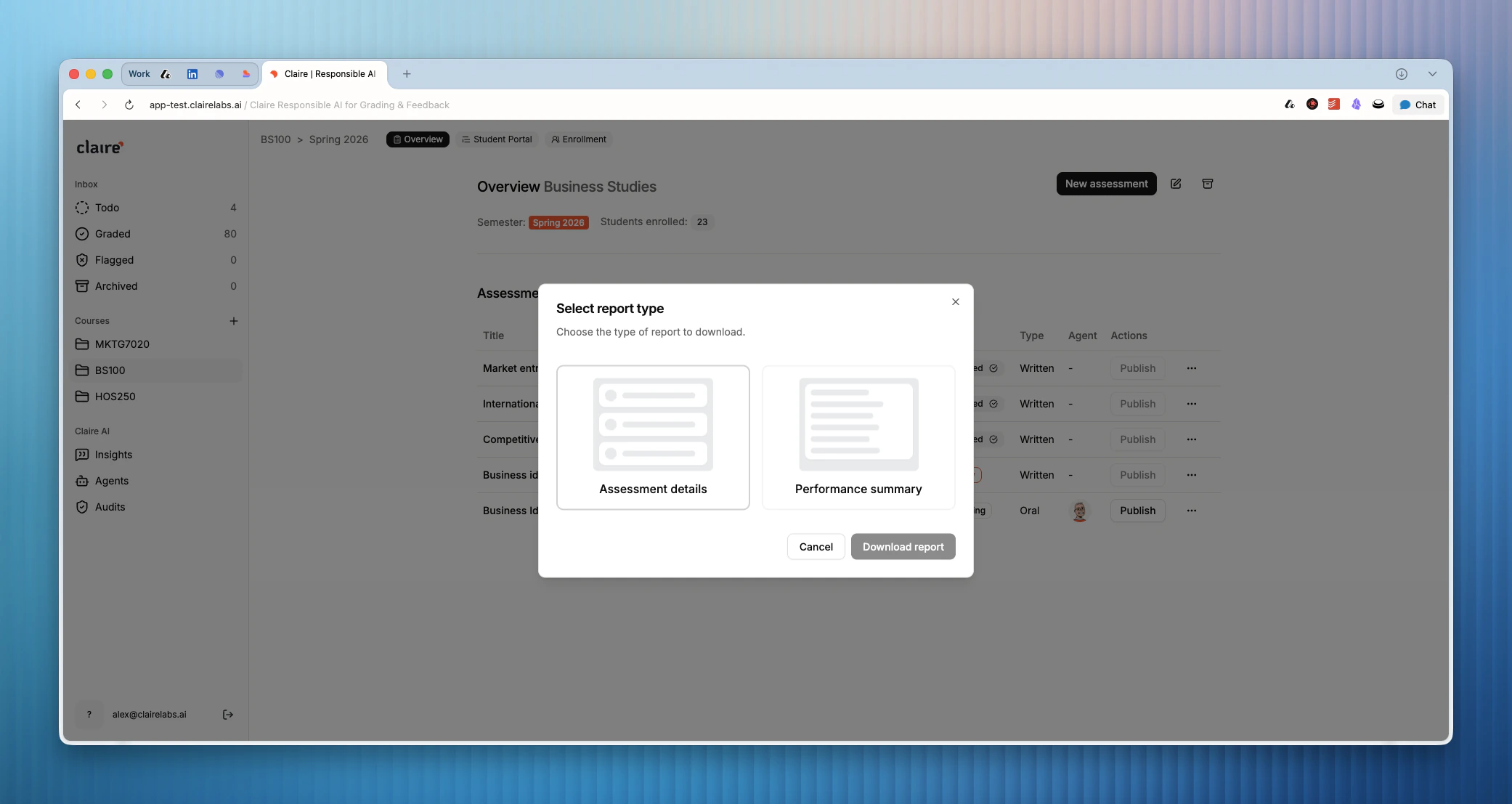
4
Download the report
Click Download report. Claire generates the report and downloads it to your device automatically.
What the report contains
The report is organized into four main sections:Summary
A 2–3 paragraph overview of the most critical findings and their implications for your teaching. This is the quickest way to get the top-level picture before diving into the detail.Class performance overview
A quantitative breakdown showing how the class performed across each rubric criterion. For example: “8 out of 12 students scored ‘Developing’ on Critical Analysis.” Use this section to identify which criteria need the most attention.Key findings
Five dimensions of class performance, each presented as a focused analysis:Actionable recommendations
Two types of recommendations you can act on immediately:- Focus areas — The 3–5 most critical issues, ranked by urgency and impact, so you know where to direct your energy first.
- What you could try — Specific in-person classroom interventions tied to each focus area.
Looking for more details?
- To query your student performance and feedback data conversationally, see Insights.