

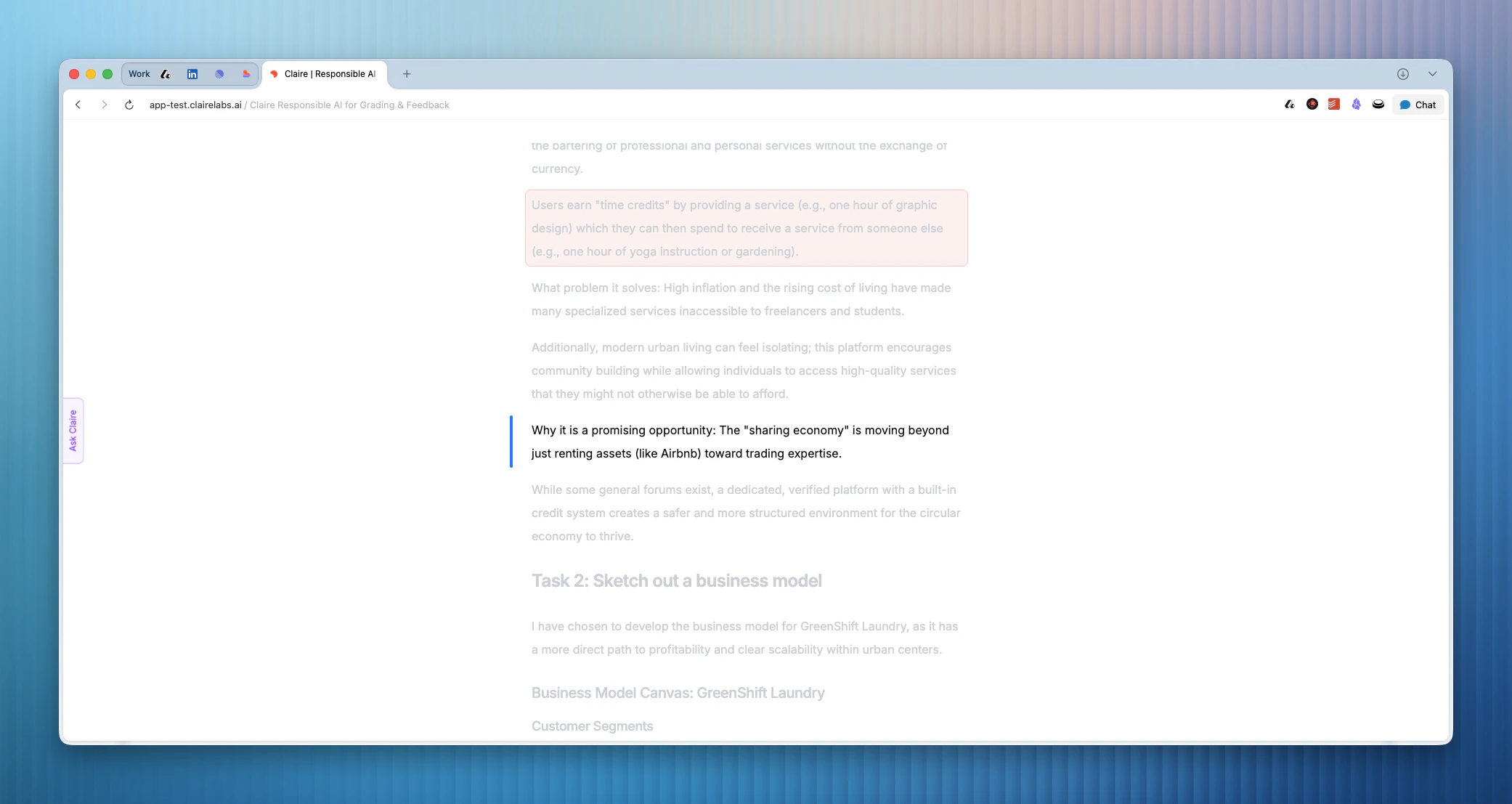
Focus mode allows you to hide distracting UI elements from the reader as you review a submission. It gives you a highly focused reading experience. This is ideal when you want to review work manually or go through a few AI inline suggestions. When you activate Focus mode, everything on the reference panel is hidden. The top navigation bar is also removed from view.
Clean Shot 2026 04 13 At 17 09 55

Activate Focus mode

You can trigger Focus mode using the command menu.
  1. Press CMD/Ctrl + K to open the command menu.
  2. Select Toggle Focus Mode.
You can also use a direct keyboard shortcut to start Focus mode automatically. Press CMD/Ctrl + Shift + F on your keyboard.

Deactivate Focus mode

To exit Focus mode, use the same keyboard shortcuts.